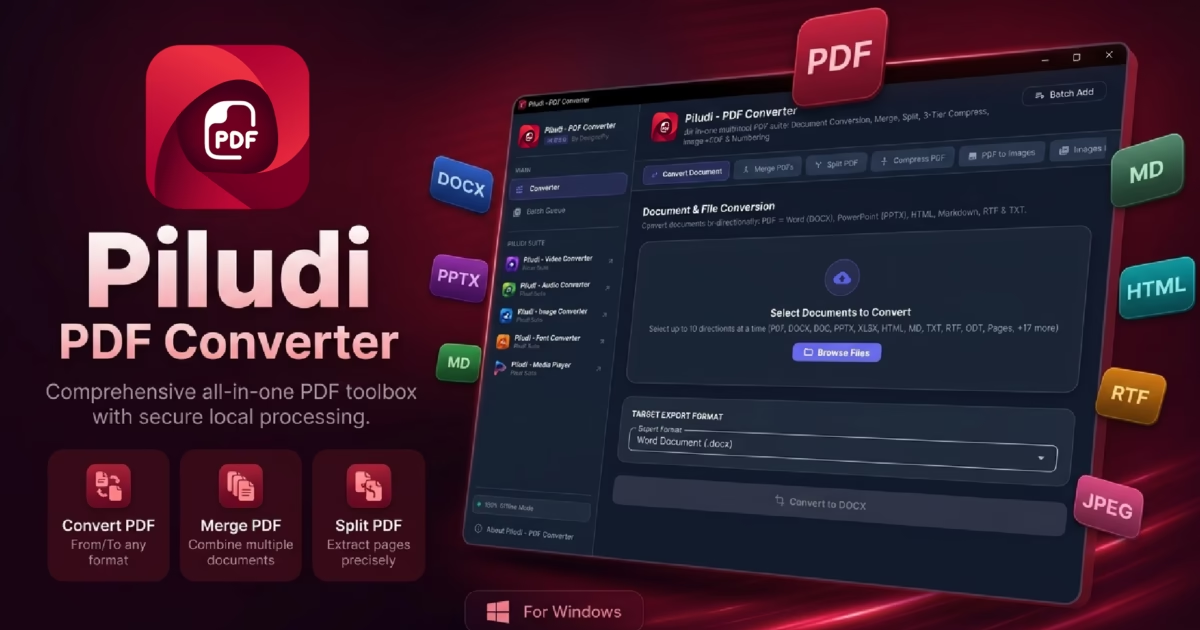
Major Version 1.0.1.0 Release Update: Piludi – PDF Converter has launched its latest feature-packed desktop release for Windows 10 and Windows 11. Engineered as the Swiss-army-knife PDF workstation, this update delivers groundbreaking smart PDF compression reducing bloated file sizes by up to 98% with visual clarity intact, bi-directional editable Office conversion (Word DOCX, PowerPoint PPTX, Markdown, RTF, HTML5, Plain Text), multi-report PDF merging, precision interval splitting, dual image conversion, dynamic page stamping, and seamless cross-app communication across the Piludi Creative Suite.
Every single day, millions of professionals, researchers, legal teams, and students upload confidential contracts, bank statements, proprietary research, and personal identity records to free online web converters. What most people do not realize is that the moment you drop a document onto an online cloud converter, your private data leaves your computer and is stored, indexed, or analyzed on remote third-party servers. For true confidentiality, corporate compliance, and unrestricted speed, a dedicated offline PDF Converter is an indispensable desktop workstation.
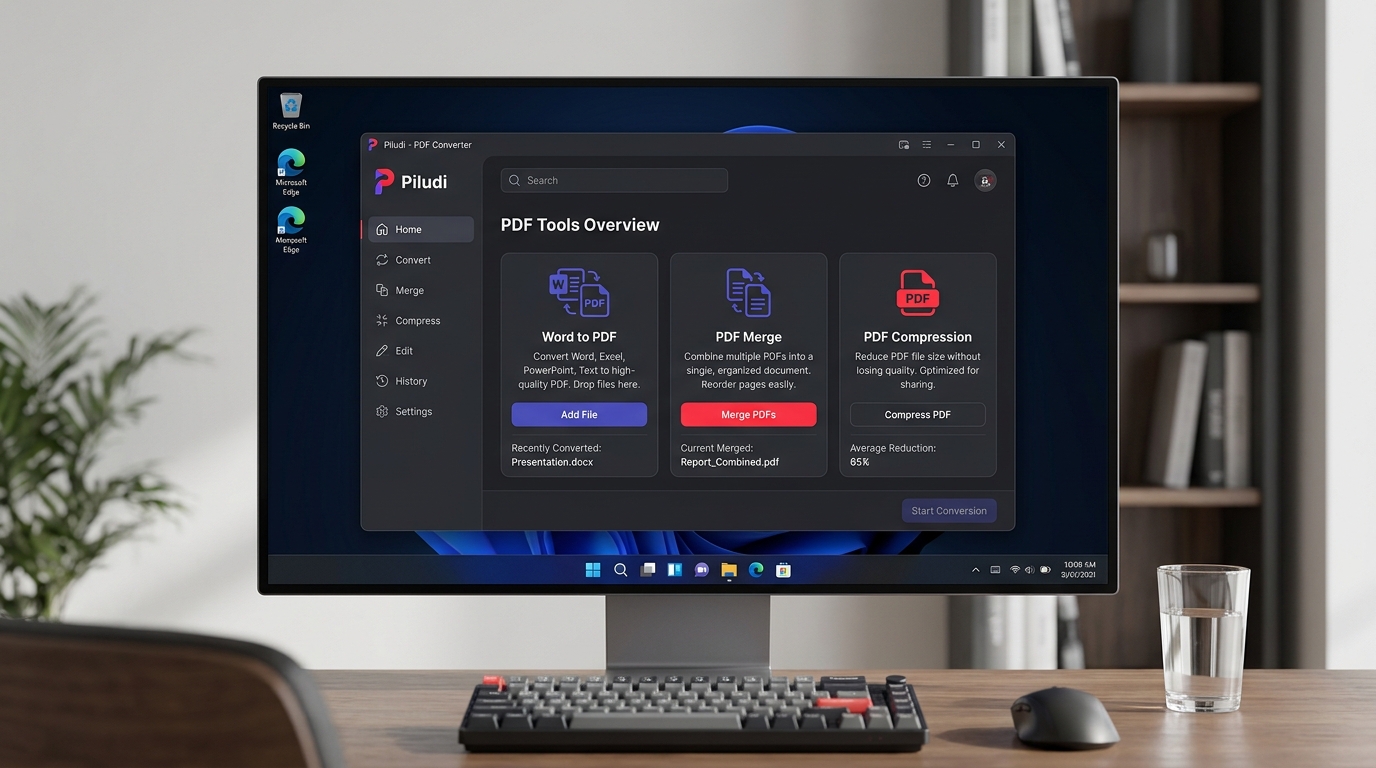
Piludi – PDF Converter (v1.0.1.0): Modern Windows 11 Fluent Dark Mode Interface with 100% Offline Processing
1. What’s New in Version 1.0.1.0: Critical System & Engine Upgrades
The version 1.0.1.0 update marks a monumental evolutionary milestone for Piludi – PDF Converter, bringing substantial architectural refinements that elevate it above ordinary utilities:
• Brand-New Custom App Icon
Replaced all legacy icon assets with a 100% custom-designed 4500×4500 folded document icon, ensuring complete compliance with Microsoft Store store-brand standards and delivering a crisp, modern Windows 11 Fluent aesthetic.
• Real-Time Progress Tracking (Major Fix)
Overhauled progress handling across all 7 core tools (Convert Document, Merge, Split, Compress, PDF to Images, Images to PDF, Add Page Numbers). Every task now strictly begins at 1% and advances in real time without freezing at 96%.
• Multi-Language Unicode Text Engine (NFC)
Critical fix for text corruption during PDF to Word (DOCX) conversion. Canonical Composition (NFC) now preserves Indic matras (Bangla, Hindi, Tamil), Arabic RTL harakat, and accented European diacritics without decomposing characters.
• File Handling & Memory Stability
Fixed memory leaks during multi-page high-resolution PDF rendering and added strict output file integrity checks to prevent 0-byte output generation.
• Suite Ecosystem Integration
Added direct cross-app navigation to Video, Audio, Image, Font, Ebook, and Media Player apps via Windows protocol schemes and Microsoft Store deep links.
2. Deep Dive: All 7 Core Document Processing Capabilities
A. Bi-Directional Document Conversion (Word, PowerPoint, Markdown, RTF & HTML)
Converting complex PDF documents into editable formats often results in broken tables, missing fonts, and mangled paragraphs. Piludi utilizes an advanced layout reconstruction parser that reconstructs paragraphs, headings, tabular columns, and embedded graphics with typographic fidelity:
- PDF to Editable Word (DOCX): Generates clean, native Microsoft Word documents with editable typography, intact tables, and paragraph hierarchy.
- PDF to PowerPoint (PPTX): Transforms PDF presentation slides into fully editable slide decks for seamless executive restructuring.
- Markdown (.md) & Plain Text (.txt): Export clean, developer-friendly documentation directly for GitHub, Obsidian, or Notion.
- Rich Text (.rtf) & HTML5: Cleanly export standardized web documents with intact CSS styling and structural tags.
- Office to PDF: Convert Word documents, PowerPoint decks, Markdown, and text files directly into clean, standardized PDF documents.
B. Revolutionary 98% Smart PDF Compression (Visual Resolution Preserved)
Large PDF attachments frequently bounce back due to 20MB or 25MB corporate email limits. In version 1.0.1.0, Piludi features an engineered smart compression engine capable of shrinking bloated, image-heavy PDF catalogs and multi-gigabyte reports by up to 98% without degrading text into unreadable blurs:
Basic Print Tier (300 DPI)
Gentle size reduction preserving pristine commercial print fidelity for client proofs and formal portfolios.
Moderate Email Tier (150 DPI)
Balanced 70–85% shrinkage ideal for routine business email attachments, Outlook limits, and internal office distribution.
Extreme Web Tier (72 DPI)
Maximum size reduction up to 98% optimized for web publishing, cloud archiving, portals, and mobile viewing.
C. Visual Drag-and-Drop PDF Merge & Precision Page Splitter
Managing multi-part documentation is seamless with Piludi’s visual document organizer:
- Merge Multi-Part Reports: Drag dozens of invoices, receipts, or chapters into the list, reorder them visually, and bind them into a single report in seconds.
- Precision Range Splitting: Dissect massive 500-page catalogs by specifying custom intervals (e.g.,
1-5, 8, 12-20) or burst each page into individual standalone PDFs. - Bit-Perfect Vector Preservation: Original vector paths, embedded fonts, and digital signatures remain uncorrupted during merge and split operations.
D. Dual-Engine Image Conversion Matrix (Images to PDF & PDF to Images)
Bridge the gap between graphic media, photography, and formal business documents:
- Images to PDF: Convert batches of JPG, PNG, BMP, WebP, TIFF, or GIF scans into a single unified Multi-Page PDF or separate individual PDFs.
- PDF to High-Resolution Images: Extract document pages into crystal-clear 150 DPI or 300 DPI high-resolution PNG or JPG graphics for marketing, web previews, or printing.
E. Dynamic Page Stamping & Numbering Engine (Desired Place Stamping)
Brand legal briefs, academic packets, or technical manuscripts with custom headers and footers stamped on your desired place:
- Exact Alignment Positioning: Position numbers in the Top Header or Bottom Footer with Left, Center, or Right alignment.
- Flexible Formatting & Prefixes: Format as standard numbers (
1, 2, 3), Page X of Y (Page 1 of 24), or custom organizational prefixes. - Typography & Margin Controls: Adjust font sizing, margin offsets, and page inclusion ranges with complete precision.
F. Deeply Connected with the Piludi Creative App Suite
Piludi – PDF Converter operates not in isolation, but as an interconnected pillar of the unified Piludi desktop software suite:
- Piludi Suite Interoperability: Seamlessly switch between Piludi – Media Player (4K/8K GPU playback), Video Converter (34+ format transcoding), Audio Converter (studio audio extraction), Image Converter, Font Converter, and Ebook Converter.
- Unified Fluent Dark UI: Identical ergonomic keyboard shortcuts, dark-mode themes, and drag-and-drop mechanics across all Piludi applications.
- Zero Telemetry Standard: Every Piludi tool shares the strict offline architectural commitment: zero telemetry, zero accounts, and zero cloud uploads.
3. Side-by-Side Comparison: Piludi vs. Web-Based Converters
| Feature / Capability | Piludi – PDF Converter (v1.0.1.0) | Web-Based Cloud Converters |
|---|---|---|
| Data Privacy & Security | 100% Local (Zero Cloud Uploads) | Uploaded to Third-Party Servers |
| Compression Capability | Up to 98% Size Reduction (Visual Clarity Intact) | Blurs Images / Heavy Artifacts |
| Office Format Fidelity | Editable Word (DOCX), Slides (PPTX), MD, RTF | Frequently Breaks Tables & Paragraphs |
| Document Size Limits | Unrestricted (GB-scale multi-hundred pages) | Capped at 15MB – 50MB |
| Conversion Rate Caps | Unlimited Daily Conversions | Strict Hourly Limits / Paywalls |
| Watermarks & Branding | Zero Watermarks | Often Stamps Promotional Badges |
| Internet Connectivity | Works 100% Offline | Requires Constant Fast Uploads |
| Pricing Structure | 100% Free Desktop Suite | $10–$25 / Month Subscriptions |
4. Step-by-Step: How to Convert, Merge & Compress with Piludi
Step 1: Choose Your Dedicated Tool Mode
Launch Piludi – PDF Converter on your Windows 10 or 11 PC. From the clean Fluent sidebar, select your desired workflow: Convert, Merge, Split, Compress, Images to PDF, PDF to Images, or Page Numbering.
Step 2: Drag and Drop Source Files
Drag and drop your PDF or Office files directly into the active batch workspace. If merging, reorder the file list as needed. If splitting or compressing, configure your target page numbers or DPI tier.
Step 3: Execute and Access Instant Outputs
Click the primary action button. Piludi processes all files locally via multi-threaded Windows pipelines. Once finished, click the folder icon to open the destination folder immediately.
5. Frequently Asked Questions (FAQ)
How does Piludi achieve up to 98% compression without blurring text?
Piludi separates structural vector paths and fonts from heavy embedded raster graphics. While high-resolution photographic elements are intelligently downsampled, vector typography and margin lines remain mathematical vectors, ensuring pin-sharp legibility even under extreme compression.
Does Piludi – PDF Converter store any copy of my documents?
No. The software executes 100% on your local Windows PC and contains zero telemetry, analytics, or background cloud sync. Converted files are written directly to your chosen local directory.
Are there any page limitations or watermarks added to my exports?
None whatsoever. Piludi does not add watermarks, does not restrict page counts, and does not cap the number of daily conversions.
Can I convert scanned PDFs into editable Word and PowerPoint files?
Yes. Piludi’s parser analyzes text structures and image matrices to reconstruct full pages with layout preservation into Microsoft Word DOCX and PowerPoint PPTX.
What versions of Windows are supported?
Piludi – PDF Converter is fully optimized for 64-bit Windows 10 (Version 19041.0 or higher) and Windows 11.
Get Piludi – PDF Converter for Windows
Experience seamless, private, and unrestricted desktop document conversion, merging, splitting, and 98% compression on your PC. Download the official release directly from our software hub.