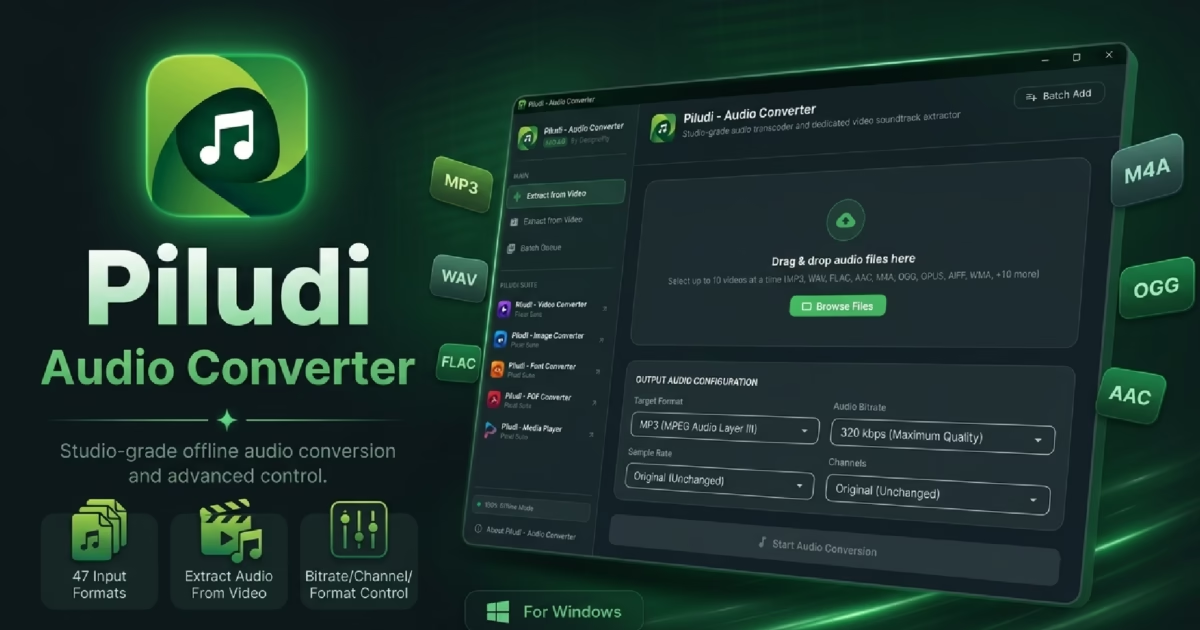
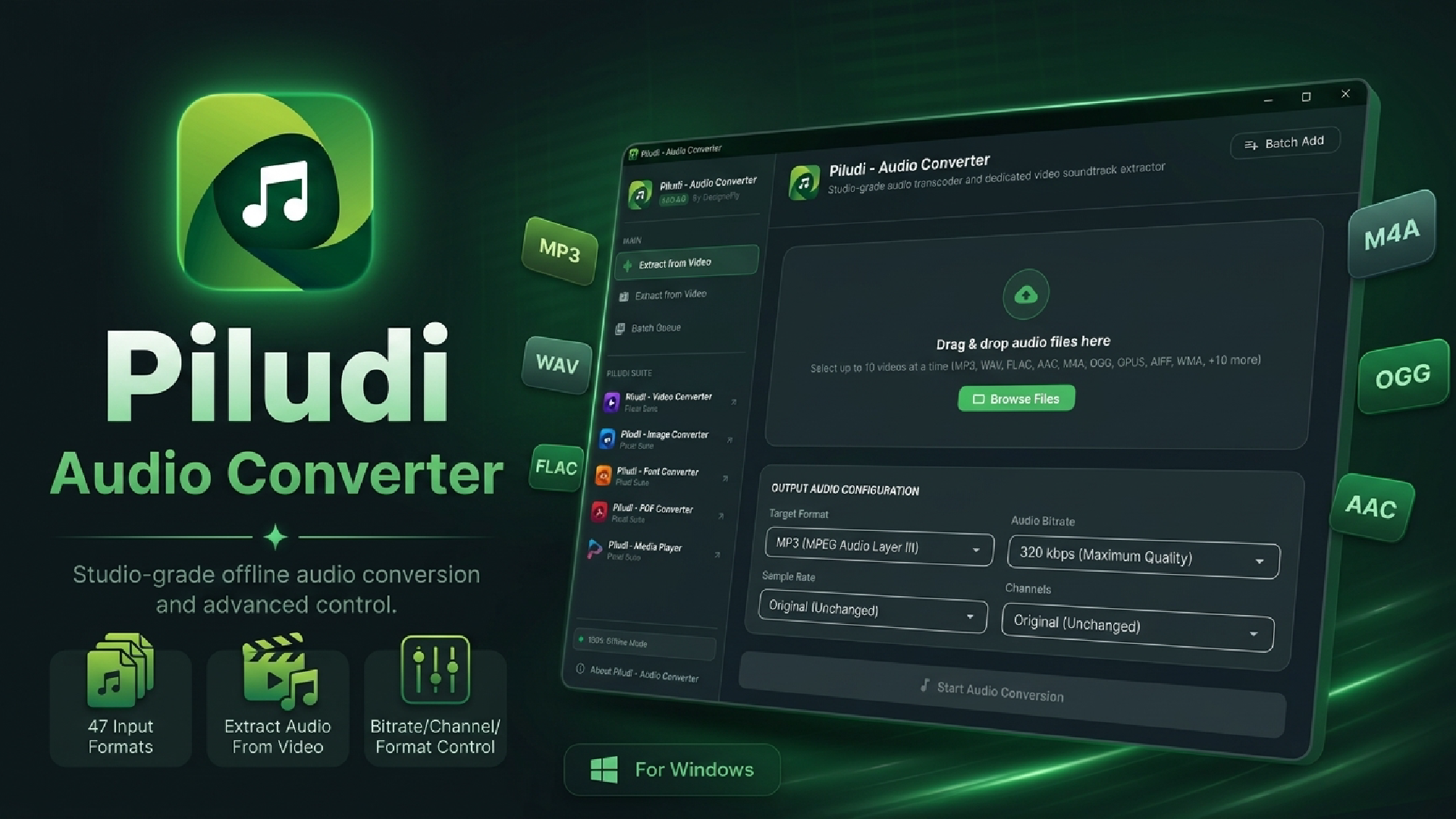
Software Launch & Deep Dive: Piludi – Audio Converter (v1.0.0.0) has arrived on Windows 10 & 11. Engineered as a studio-grade, fully offline desktop audio suite, it combines bit-perfect lossless transcoding with direct video soundtrack extraction across 47 input formats.
Specifically, whether you are an audiophile curating a high-resolution lossless music library, a podcaster mastering interview tracks, or a video creator needing to rip clean voiceovers from a 4K video recording, having a reliable, studio-grade audio converter and audio extractor is indispensable. Yet, for years, Windows users have been forced to choose between clumsy command-line tools or predatory online websites that compress audio to unrecognizable mud, throttle bitrates, and harvest private recordings.
In fact, every time you drop a voice recording or music session into a cloud-based converter, your audio undergoes lossy compression, frequency cutoffs, and acoustic truncation. More importantly, uploading confidential podcast interviews, private voice notes, or unreleased music stems to remote cloud servers represents a severe privacy vulnerability.
Therefore, to solve this fundamental gap in desktop creative utilities, DesignoFly Studio is proud to announce the official release of Piludi – Audio Converter (Version 1.0.0.0), available now on our official Piludi – Audio Converter Software Hub (with verified Microsoft Store installation). In this comprehensive review and architectural guide, we explain how the software works, break down its comprehensive support for 47 input formats and 10 export targets, and demonstrate why it is the definitive offline audio suite for Windows.
Get Piludi – Audio Converter (v1.0.0.0)
100% Offline, Bit-Perfect Studio Fidelity up to 320 kbps and 96 kHz, Multi-Core Batching. View full technical specs, screenshots, and get direct Microsoft Store installation on our dedicated software page.
🔬 How Piludi Audio Converter Works: Under the Hood
For example, unlike generic converters that treat audio as an afterthought, Piludi – Audio Converter is built around a dedicated dual-engine processing pipeline:
Engine 1: Studio Transcoding Pipeline
Accepts over 35 distinct audio formats and decodes them into uncompressed 32-bit floating-point linear PCM. In this pristine studio space, Piludi performs sample rate conversion (up to 96 kHz) and channel remapping (Stereo/Mono) before encoding to your target format with bit-perfect fidelity.
Engine 2: Direct Video Audio Extractor
Features an intelligent demuxing parser that isolates the audio track directly from heavy video containers (MP4, MKV, MOV, etc.). It strips the audio stream without decoding or touching the video track, ripping a complete 2-hour lecture or soundtrack in under 10 seconds.
🏆 Why Piludi is the Best Audio Converter: 6 Standout Features
1. Audiophile-Grade Acoustic Precision (Up to 320 kbps & 96 kHz)
When you convert high quality audio with Piludi, you have full granular control over the acoustic parameters of your output file:
- Uncompressed & Lossless Formats: Export into bit-perfect
FLAC,WAV,ALAC(Apple Lossless), andAIFF, retaining the full dynamic range and frequency spectrum of the original recording. - Ultra-High Fidelity Compressed Formats: Select bitrates from 64 kbps up to 320 kbps Ultra-High Fidelity in both Constant Bitrate (CBR) and Variable Bitrate (VBR) encoding for pristine
MP3,AAC,M4A,OGG, andOpus. - Studio Sample Rate Presets: Choose between 44.1 kHz (Red Book CD Quality), 48 kHz (Broadcast, Film & TV Production Standard), and 96 kHz (High-Resolution Studio Master).
- Channel Management: Downmix complex 5.1/7.1 surround audio into crisp Stereo, Joint Stereo, or clean Mono for podcasts and audiobooks.
2. Direct Audio Extraction from Video (No Re-encoding Overhead)
Similarly, have you ever had a 5GB 4K music video, a Zoom conference recording, or a tutorial in MP4 or MKV, and only needed the audio for a podcast episode or mobile listening? Traditional software forces you to re-render the whole video or uses slow, cumbersome workarounds.
With Piludi’s Extract Audio From Video capability, you simply drag and drop the video file onto the application window, choose your desired output format (like MP3 or FLAC), and click convert. Piludi bypasses the heavy video data and extracts the soundtrack at high speed.
3. Multi-Core CPU Parallel Batch Processing
Consequently, converting an entire music library, a discography, or 50 voice recordings one by one is an exercise in frustration. Piludi – Audio Converter leverages modern multi-core processor architectures (Intel Core, AMD Ryzen). When you drop dozens of files into the batch queue, Piludi distributes conversion jobs across all available CPU threads simultaneously, completing massive batches in a fraction of the time required by single-threaded utilities.
4. 100% Private, Secure & Completely Offline
Most importantly, your recordings belong to you. Piludi executes 100% on your local PC. It contains zero telemetry, zero user tracking, zero cloud data transfer, and operates without an internet connection. Whether you are dealing with confidential legal depositions, proprietary business meetings, or personal music sessions, your audio never leaves your storage drive.
📊 Audio Converter Format Matrix: 47 Input Formats Supported
Piludi – Audio Converter supports an expansive spectrum of 47 input source formats (35+ dedicated audio codecs and 15+ video containers) alongside 10 versatile export formats:
| Category | Supported Formats (47 Total Inputs) | Primary Workflow |
|---|---|---|
| Lossless & Hi-Res Studio Audio | FLAC, WAV, ALAC, AIFF, APE, WV, TTA, TAK, DFF, DSF |
Audiophile vinyl rips, DSD SACD audio, DAW master exports, studio stems. |
| Universal & Mobile Audio | MP3, AAC, M4A, M4B, OGG, OPUS, WMA |
Podcasts, Spotify/YouTube exports, audiobooks with chapters, mobile playlists. |
| Broadcast, Surround & Legacy | AC3, DTS, AMR, VOC, AU, CAF, RA, MKA, MID, MIDI, MP2, MPA, GSM, QCP, SHN |
DVD surround streams, vintage telephony voice memos, Creative Labs sound archives. |
| Direct Video Soundtrack Sources | MP4, MKV, AVI, MOV, FLV, WebM, WMV, TS, VOB, 3GP, M4V, MTS, M2TS, MXF, MPG |
Ripping speech, music, or dialogues directly from camera, screen, and cinema video files. |
🎯 10 Versatile Target Output Formats:
WAV (Uncompressed PCM)
FLAC (Lossless Studio Quality)
AAC (High Efficiency Web/Apple)
M4A (Apple Audio Standard)
OGG (Vorbis Open Audio)
OPUS (Low-Bitrate Speech & Web)
WMA (Windows Media Audio)
AIFF (Apple Master Uncompressed)
AC3 (Dolby Digital Surround)
💡 Three Practical Audio Converter Workflows
Workflow 1: Converting FLAC/WAV to High-Fidelity 320 kbps MP3
As a result, high-resolution FLAC files sound incredible on studio monitors, but they consume vast amounts of storage space and may not play on certain car stereos or legacy MP3 players. To convert:
- Drop your FLAC album into Piludi.
- Select MP3 as the export format.
- Set the Bitrate slider to 320 kbps Ultra-High Fidelity and Sample Rate to 44.1 kHz.
- Click Convert. Piludi encodes the files in parallel, creating crystal-clear MP3 files that sound virtually indistinguishable from the CD source.
Workflow 2: Extracting a Podcast Track from a Video Interview (MP4 to WAV/MP3)
For instance, if you recorded a remote podcast over Zoom or Riverside, you are often left with a multi-gigabyte MP4 file containing both video and audio. To extract only the audio:
- Drop the raw MP4 video into Piludi.
- Select WAV (for uncompressed DAW editing in Audacity/Audition) or MP3 (for immediate sharing).
- Click Convert. In seconds, your clean audio soundtrack is extracted without waiting for video processing.
❓ Audio Converter Frequently Asked Questions (FAQ)
Is converting FLAC to WAV truly lossless?
Yes, 100%. Both FLAC and WAV contain uncompressed or losslessly compressed PCM audio samples. Converting between them causes zero loss of acoustic data, bit depth, or frequency fidelity.
Can Piludi extract audio from very large 4K or 8K video files?
Absolutely. Because Piludi demuxes the container to read the audio track without rendering or decoding video frames, it can process a 20GB 4K file in just a few seconds.
Is Piludi – Audio Converter completely free to use?
Yes. Piludi is 100% free with no time limits, no file size caps, and no premium upsells. It is published on the Microsoft Store for Windows 10 and 11.
Upgrade Your Audio Toolkit with Piludi
Experience studio-grade audio conversions, effortless video soundtrack extraction, and complete offline privacy on your Windows PC. Visit our official software page to inspect full specs and get Microsoft Store access.