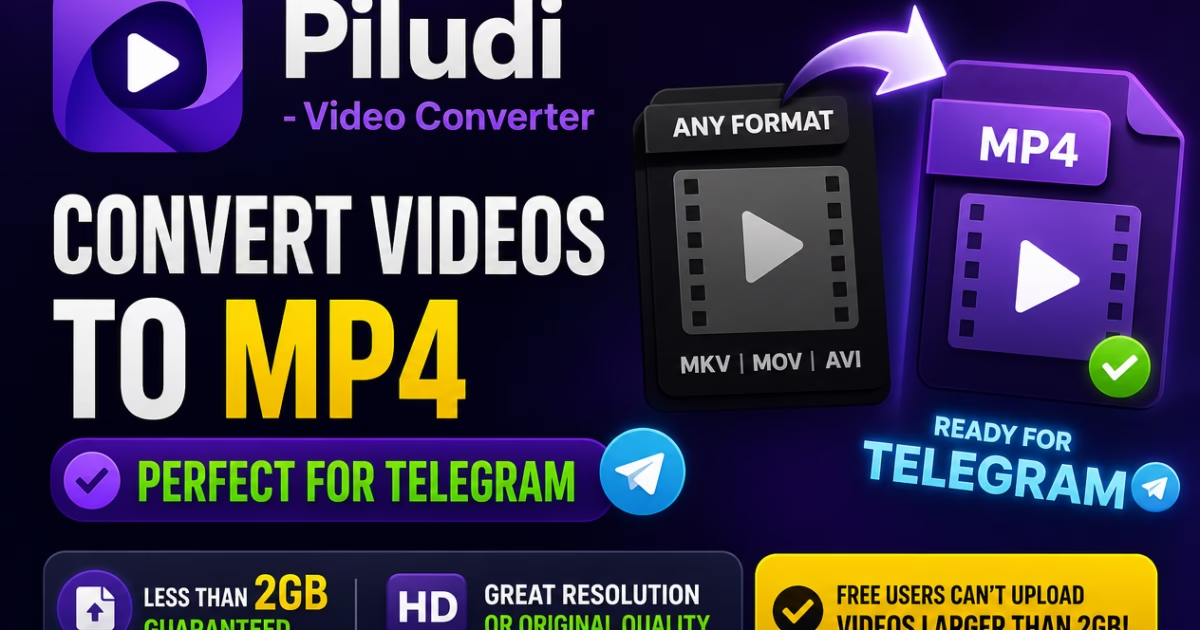
Comprehensive Video Encoding & Container Architecture Guide: Learn how to convert any video format into high-performance, web-optimized MP4 files with studio precision. Powered by GPU hardware acceleration (NVIDIA NVENC, Intel QSV, AMD AMF) and lossless stream copying, Piludi – Video Converter processes 34 input codecs into 10 publication targets right on your Windows desktop.
Every video creator, digital editor, and media enthusiast inevitably encounters the dreaded container barrier: a video captured on a smartphone, downloaded from an online platform, or ripped from a personal disc collection refuses to play on Smart TVs, editing timelines, or mobile devices. Because different cameras, broadcast streams, and operating systems wrap video into disparate containers, having an authoritative, all-in-one MP4 Converter and Video Converter workstation is essential for modern multimedia workflows.
Furthermore, many users mistakenly rely on shady web converters that throttle resolution, slap intrusive watermarks across footage, introduce harsh audio sync drift, and compromise confidential personal videos by uploading gigabytes of unencrypted footage to remote servers. True professional video transcoding requires local desktop computational power, deep GPU hardware acceleration, and the intelligence to switch between deep two-pass re-encoding and instant, lossless stream-copy remuxing.
In this definitive format guide, we examine the technical architecture behind 15 major digital video formats supported by our desktop suite, explain why Piludi – Video Converter is the best solution for Windows users, and demonstrate how to convert virtually any media file into a clean, universally compatible MP4 standard on our official Piludi – Video Converter Software Hub.
Get Piludi – Video Converter (v2.0.0.0)
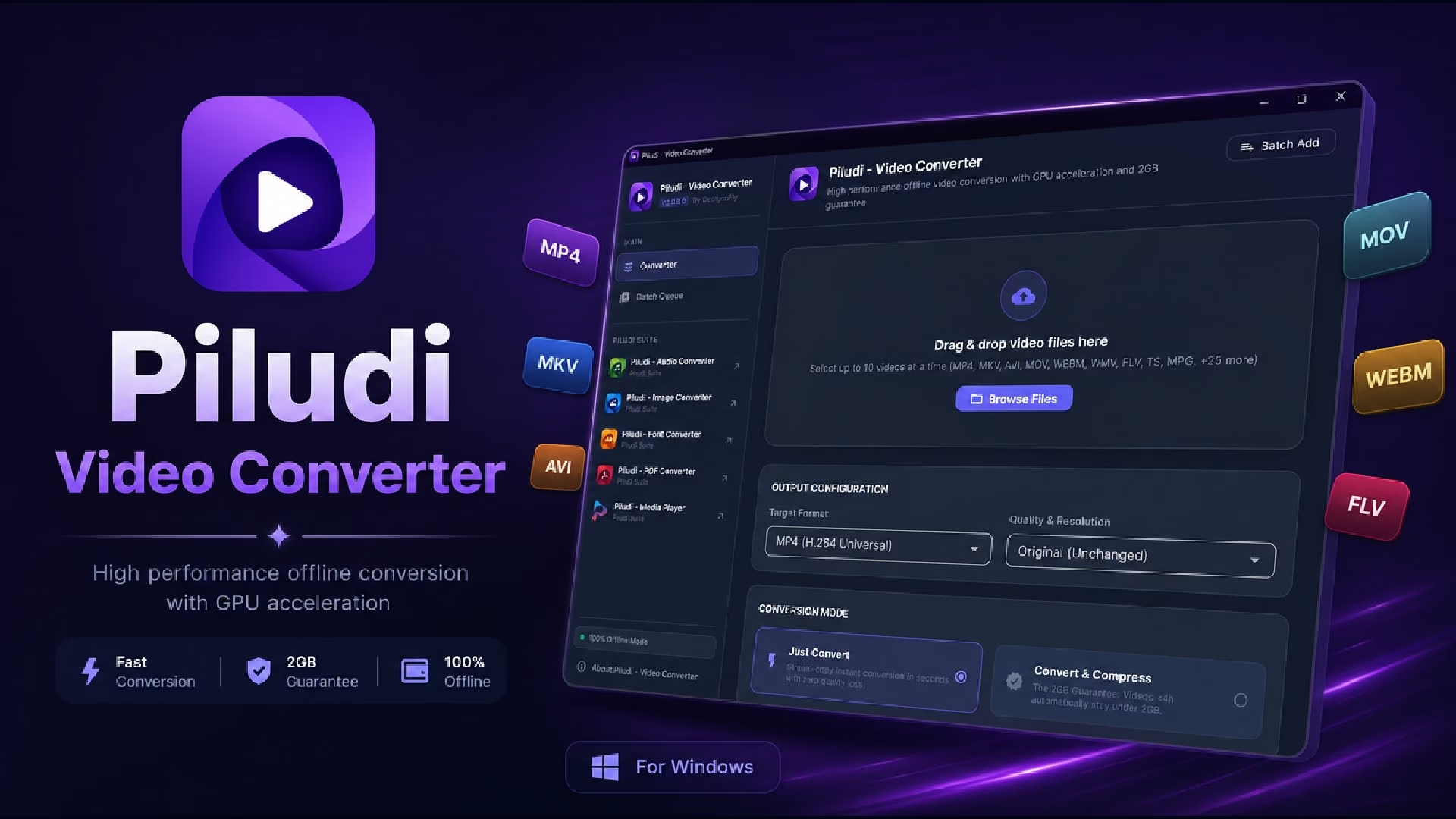
100% Offline Desktop Utility. 34 Input Formats, 10 Output Standards, 3-Second Lossless Stream Copying, NVIDIA / Intel / AMD Hardware Acceleration, and Zero Cloud Uploads. View technical specs and get verified Microsoft Store access on our dedicated software page.
🔬 Under the Hood: Dual-Pipeline Video Transcoding Architecture
Rather than forcing every imported video through a slow, lossy re-encoding pipeline, Piludi – Video Converter intelligently analyzes incoming video bitstreams to deploy one of two specialized rendering engines:
Pipeline 1: 3-Second Lossless Stream Copy
When your source video (such as an MKV, MOV, or TS file) already contains an H.264 or HEVC stream compatible with MP4, Piludi bypasses re-encoding entirely. It demuxes the packets and remuxes them into an MP4 container in 3 to 5 seconds with mathematically identical byte-for-byte visual quality.
Pipeline 2: GPU Hardware-Accelerated Transcoder
When transcode conversion is required, Piludi taps directly into dedicated silicon on your GPU—utilizing NVIDIA NVENC, Intel Quick Sync Video (QSV), AMD AMF, and DirectX Video Acceleration (DXVA). This delivers blazing-fast 4K 60fps encoding while keeping your CPU cool and responsive.
🎬 Deep Dive: 15 Supported Video Formats & Why You Should Convert to MP4
Below is a comprehensive technical breakdown of 15 major formats supported by Piludi – Video Converter, exploring their internal architecture, common playback challenges, and conversion strategies:
1. MP4 Video Converter (.mp4 / MPEG-4 Part 14 — The Universal Gold Standard)
As the primary focus of our application, the MP4 format (using AVC/H.264 or HEVC video paired with AAC audio) is universally recognized across every modern operating system, gaming console, browser, and social platform. With optimized fast-start (“moov atom”) metadata positioning at the beginning of the file, MP4 files stream instantly without waiting for complete downloads. Piludi functions as the premier desktop MP4 converter, delivering crisp 1080p, 4K, and 8K transcode pipelines as well as instant stream-copy container packaging in just seconds.
2. HEVC Video Converter (.mp4 / .mkv / H.265 — Next-Generation 4K & 8K Ultra-HD Compression)
High Efficiency Video Coding (HEVC / H.265) achieves up to 50% better compression than traditional AVC/H.264 while maintaining identical perceptual fidelity. Operating as a specialized HEVC video converter, Piludi allows content creators, drone pilots, and 4K action-camera users to compress massive video archives into half the disk footprint. By tapping directly into dedicated GPU encoding pipelines, Piludi converts heavy 4K and 8K HEVC footage without frame drops or system slowdowns.
3. AVI Video Converter (.avi / Audio Video Interleave — Legacy Windows & Archival Master)
Originally introduced by Microsoft in 1992, the Audio Video Interleave container remains prevalent across legacy camcorders, DVD rippers, and older editing archives. However, legacy AVI files encoded with DivX, XviD, or raw uncompressed frames frequently fail to play on mobile devices, modern web browsers, or Smart TVs. As an efficient AVI converter, Piludi repairs broken index headers, de-interlaces retro camcorder clips, and modernizes legacy AVI media into web-ready MP4 files with crystal-clear audio fidelity.
4. TS Video Converter (.ts / MPEG Transport Stream — Broadcast, IPTV & Web Streaming Downloads)
The TS (MPEG Transport Stream) container was engineered specifically for unreliable transmission media, digital television broadcasting, and HTTP Live Streaming (HLS) where video is delivered in sequential packet chunks. In modern web environments, most online streaming platforms, live broadcast captures, and adult tube websites distribute their media broken into these transport stream segments, meaning most adult content and porn videos are on this format when captured or downloaded locally. Because raw transport stream chunks often fail to play on mobile media players or cause noticeable audio desynchronization, users searching for a dependable porn video converter to execute a seamless porn convert to mp4 workflow turn to Piludi – Video Converter. The software seamlessly re-encodes or remuxes fragmented .ts files into solid, universally playable MP4 files with flawless audio-video synchronization and zero playback lag. So it can be your seamless MP4 porn converter solution that you are looking for a long time.
5. MOV Video Converter (.mov / Apple QuickTime — iPhone & Final Cut Pro Production Standard)
The Apple QuickTime MOV format is the native recording standard across millions of Apple iPhones, iPads, and professional ProRes capture systems. While MOV files deliver superb visual dynamics on macOS, Windows users frequently experience playback stutters, missing audio tracks, or variable frame rate (VFR) desynchronization during editing. Acting as a dedicated MOV converter, Piludi standardizes variable frame rates into constant frame rates (CFR) and remuxes high-bitrate Apple MOV files into universally compatible MP4 videos without altering color grading.
6. MKV Video Converter (.mkv / Matroska Multimedia Container — Multi-Track Audio & Soft Subtitles)
The open-source Matroska (MKV) container is beloved by film archivists and home theater enthusiasts for its ability to package unlimited video streams, multi-language audio tracks, and styled soft subtitles into a single container. However, native Windows media players, Smart TVs, and gaming consoles like Sony PlayStation frequently reject MKV files. Piludi enables instant stream-copying from MKV to MP4 in under 5 seconds, giving you full control to extract specific language tracks or burn in subtitles without re-compressing the video.
7. WebM Video Converter (.webm / VP8, VP9 & AV1 — Ultra-Lightweight HTML5 Web Video)
Developed by Google, the WebM format is optimized specifically for royalty-free web streaming using VP8, VP9, and AV1 video codecs. Web developers and digital marketers frequently rely on Piludi as a high-performance WebM converter to transcode bulky desktop videos into lightweight WebM clips for ultra-fast website hero backgrounds, or to convert downloaded WebM web clips into standard MP4 files for editing inside Adobe Premiere or DaVinci Resolve.
8. FLV Video Converter (.flv / Flash Video — Legacy Web Archive Transcoding)
During the golden age of web video, Adobe Flash Video (FLV) powered virtually every streaming portal, including early YouTube and online gaming sites. With Adobe Flash permanently deprecated across modern operating systems, millions of historic FLV recordings have become unplayable. Piludi features a built-in FLV converter that decodes legacy Sorenson Spark and On2 VP6 streams, transforming forgotten web archives into pristine H.264 MP4 videos that play effortlessly on any modern device.
9. MPEG & MPG Video Converter (.mpeg / .mpg / MPEG-1 & MPEG-2 Broadcast Standards)
As the foundational digital standards behind Video CDs (VCD) and DVD-Video, MPEG-1 and MPEG-2 files represent decades of commercial films, television broadcasts, and digitized home camcorder tapes. Piludi provides studio-grade de-interlacing filters and adaptive aspect ratio correction for MPEG and MPG files, eliminating ugly horizontal comb artifacts and restoring vintage television captures into clean, progressive 1080p MP4 files.
10. WMV Video Converter (.wmv / Windows Media Video — Enterprise & PowerPoint Integration)
Windows Media Video was engineered by Microsoft to provide robust compression across dial-up streaming and Windows desktop applications. It remains extensively embedded within legacy corporate slide decks, educational courseware, and government archives. Piludi acts as a versatile WMV converter, extracting video and WMA audio streams to export clean, web-compatible MP4 files that load instantly across modern keynote presentations, mobile phones, and cross-platform media players.
11. 3GP & 3G2 Video Converter (.3gp / .3g2 — Nostalgic Feature Phone Mobile Memories)
Tailored for the extreme bandwidth limitations of early 3G mobile networks, 3GP and 3G2 containers packaged low-resolution H.263 video and narrowband AMR audio on early mobile phones. If you have priceless family memories or nostalgic early mobile recordings trapped in 3GP containers, Piludi decodes the legacy AMR audio streams, stabilizes the pixel aspect ratios, and exports modern MP4 files that can be comfortably shared and preserved on modern cloud storage.
12. VOB Video Converter (.vob / DVD Video Object — Direct Disc Rip Consolidation)
VOB files represent the multiplexed audio and video program streams located inside DVD `VIDEO_TS` folders, fragmented into sequential 1GB chunks. Manually attempting to play split VOB files on modern media centers often results in missing audio tracks and interrupted playback. Piludi batch-processes and seamlessly merges split VOB chunks into single, continuous MP4 files with multi-channel Dolby Digital (AC3) audio pass-through and accurate chapter markers.
13. M4V Video Converter (.m4v / Apple iTunes Video Container)
Apple’s M4V container is closely related to MP4 but includes custom extensions for chapter navigation, closed captioning, and AC3 5.1 surround sound audio tracks. Non-Apple smart televisions and media servers frequently fail to recognize the `.m4v` extension or drop the primary audio track. Piludi safely remuxes unencrypted M4V files into universal standard MP4 containers, ensuring 100% audio-video fidelity across every playback environment.
14. M2TS & MTS Video Converter (.m2ts / .mts / AVCHD Camcorder & Blu-ray Masters)
High-definition camcorders from Sony, Panasonic, Canon, and JVC record directly into AVCHD MTS or M2TS containers. Because these transport stream files feature massive bitrates and complex nested folder hierarchies, sharing them or editing them directly can cause software freezes. Piludi’s hardware-accelerated transcoding engine rapidly converts heavy M2TS camcorder footage into lightweight, high-bitrate MP4 videos ready for social media uploads or desktop editing.
15. OGV Video Converter (.ogv / Ogg Theora Open-Source Web Video)
The Ogg Video format (OGV) utilizing the open-source Theora video codec has long been a staple of Linux distributions, Wikipedia media embeds, and open-web documentation projects. Piludi provides full bi-directional support for OGV files, enabling creators to transcode open-source media into standard MP4 for commercial distribution or export proprietary video into OGV for open-web publishing compliance.
📊 Comprehensive Format Matrix: 34 Input Codecs & 10 Export Standards
Below is the complete technical matrix of input and output containers supported by Piludi – Video Converter on Windows 10 & 11:
| Container Category | Supported Codecs & Extensions (34 Inputs) | Recommended Output Target |
|---|---|---|
| Universal & Web Standards | MP4, WEBM, M4V, FLV, F4V, SWF |
MP4 (H.264 / AAC) for universal cross-platform compatibility. |
| High-Definition & Production | MKV, MOV, HEVC, MXF, DV, DVR, WTV |
HEVC / H.265 for 4K UHD archival or MP4 stream copy. |
| Broadcast & Streaming Streams | TS, M2TS, MTS, CAVS, MOD, VRO |
Consolidated MP4 container with synchronized AAC audio. |
| Legacy Desktop & Disc Media | AVI, WMV, MPEG, MPG, M2V, VOB, ASF, DIVX |
De-interlaced 1080p MP4 with aspect ratio preservation. |
| Mobile & Open Standards | 3GP, 3G2, 3GPP, OGG, OGV, RM, RMVB, AMV |
Modernized MP4 with cleaned AMR audio decoding. |
🎯 10 Precision Export Output Standards:
HEVC / H.265 (4K UHD)
MKV (Multi-Track)
AVI (Legacy Windows)
MOV (QuickTime Standard)
WEBM (HTML5 Web)
WMV (Presentation Video)
FLV (Flash Archive)
TS (Transport Stream)
OGV (Open-Source Video)
💡 Three Practical Video Converter Workflows
Workflow 1: 3-Second Lossless Stream Copy from MKV/MOV to MP4
If you have high-definition MKV or iPhone MOV clips that already utilize H.264 video, you do not need to wait for lengthy re-encoding. To convert losslessly:
- Drag and drop your MKV or MOV files into Piludi – Video Converter.
- Select MP4 as your target container.
- Enable Stream Copy mode in the audio/video parameters.
- Click Convert. Piludi remuxes the bitstream into MP4 in 3 to 5 seconds with zero generation loss and mathematically identical visual quality.
Workflow 2: Smart Two-Pass Compression for Discord, Email & Web Limits
When sharing screen captures, gameplay highlights, or corporate tutorials over messaging platforms with strict file size thresholds (such as Discord’s 25MB limit or email attachments):
- Import your video into Piludi and select MP4 as the target profile.
- Set your desired target file size limit (e.g., 25MB or 50MB).
- Piludi’s two-pass VBR engine calculates the mathematically ideal video and audio bitrates, allocating data dynamically to high-motion scenes.
- Export a lightweight, crystal-clear MP4 file guaranteed to fit under your exact upload limit.
Workflow 3: Batch Converting Transport Streams (.ts) and HLS Segments
When downloading chunked IPTV streams, digital television recordings, or segmented web videos:
- Add your folder of `.ts` files into the batch conversion queue.
- Choose MP4 with GPU Hardware Acceleration enabled (NVENC, QSV, or AMF).
- Piludi checks timestamp integrity, aligns audio channels to prevent drift, and merges or re-encodes the stream into a clean MP4 file.
- Enjoy silky-smooth, glitch-free playback on mobile phones, tablets, or TV media players.
❓ Video Converter Frequently Asked Questions (FAQ)
Is Piludi – Video Converter free to use on Windows?
Yes. Piludi – Video Converter is 100% free with no in-app purchases, no subscription tiers, zero watermarks, and no duration limitations. It is available directly from the Microsoft Store for Windows 10 and 11.
Does converting video to MP4 cause loss of visual quality?
Not necessarily. If your source video (such as MKV, MOV, or TS) already contains H.264 or HEVC video, Piludi uses its Stream Copy engine to repackage the container in seconds without touching the video pixels, resulting in 100% lossless conversion. If re-encoding is required, Piludi uses high-bitrate GPU acceleration to preserve maximum clarity.
Are my private videos and webcam recordings secure?
Absolutely. Unlike online web converters that require uploading your private files to third-party cloud servers, Piludi executes 100% offline on your local computer. It transmits zero telemetry, conducts no tracking, and never uploads your media.
Can Piludi batch convert multiple video files simultaneously?
Yes. You can import dozens or hundreds of videos at once. Piludi queues them up and leverages multi-threaded CPU rendering alongside GPU hardware acceleration to convert entire folders with a single click.
Experience Studio-Grade Video Transcoding on Windows
Upgrade your digital video workstation with lightning-fast stream copying, 34-format support, and complete local privacy. Visit our official software page to inspect full technical specs, review screenshots, and get direct Microsoft Store access.