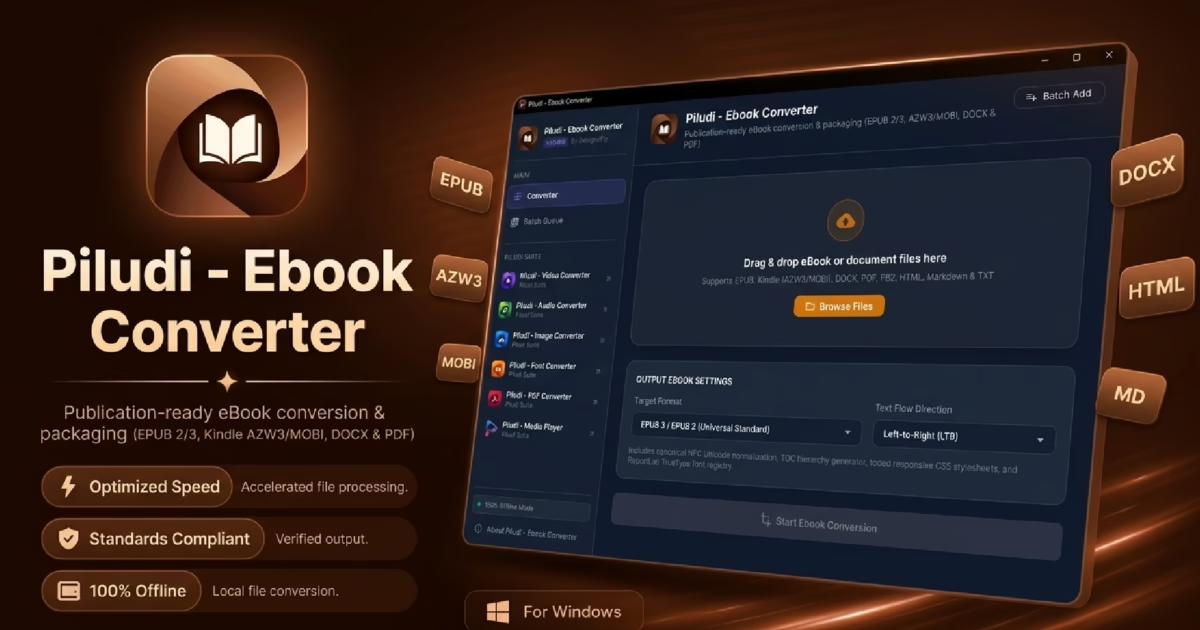
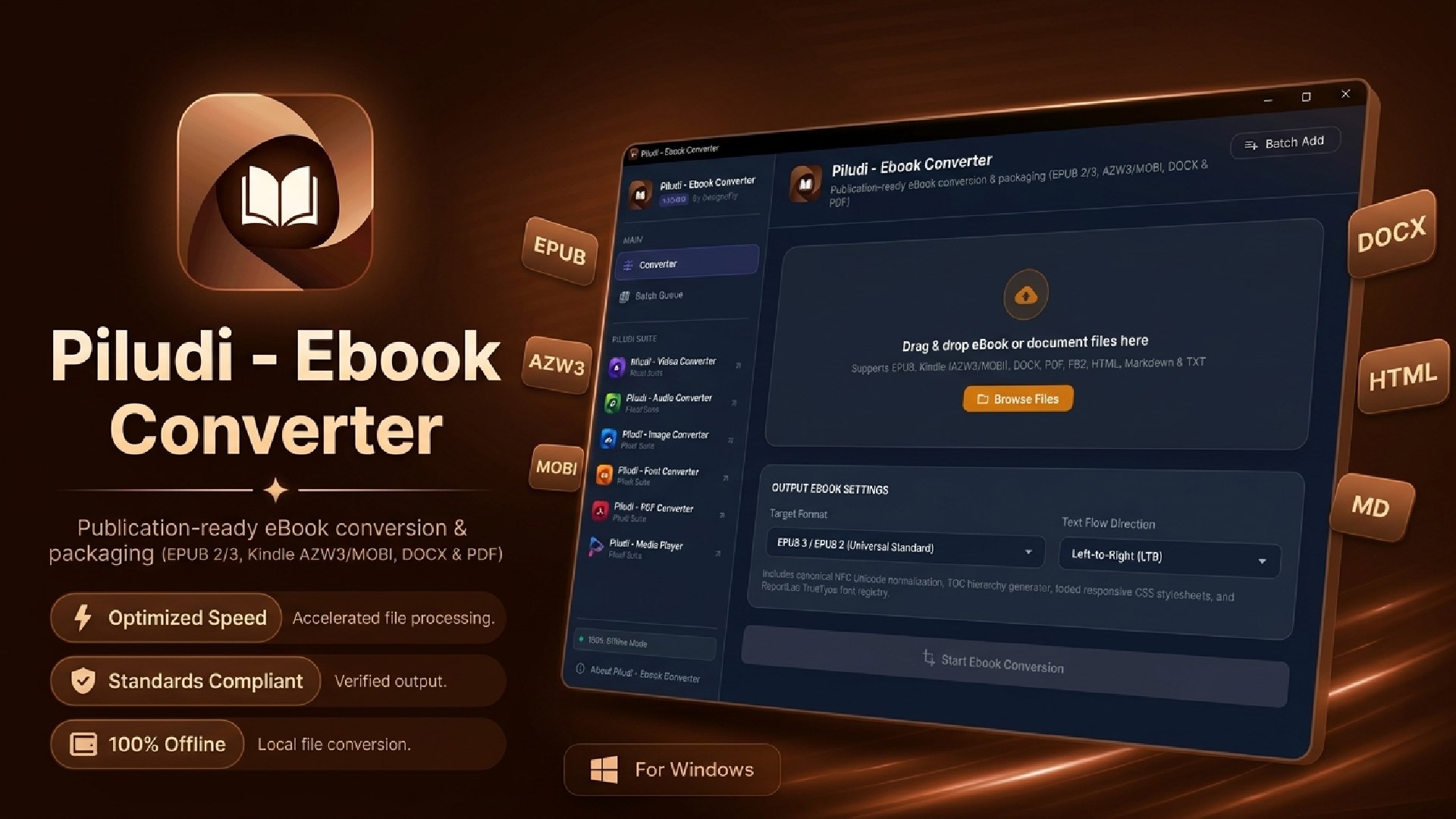
Software Launch & Deep Dive: Piludi – Ebook Converter (v1.0.0.0) has arrived on Windows 10 & 11. Engineered as a professional, fully offline desktop publishing workstation, it provides strict EPUBCheck-compliant code validation, native Amazon Kindle (AZW3/MOBI) reflowable styling, and bi-directional conversion between EPUB, Word DOCX, PDF, and FB2.
Specifically, whether you are an indie author preparing an unreleased novel for Amazon KDP, a book designer crafting reflowable publications for Apple Books and Kobo, or an educator formatting academic course materials from Word documents, having a dependable, studio-grade Ebook Converter and EPub Converter is indispensable. Yet, for years, authors and publishers have been forced to choose between complex, bloated conversion suites or risky online web converters that break chapter navigation, scramble typography, and compromise confidential manuscripts by uploading them to remote cloud servers.
In fact, converting an electronic book is far more complex than simply renaming a file extension. A commercial eBook must contain a strictly validated Open Container Format (OCF), well-formed XHTML content documents, sequential reading spines, and dual-layer navigation hierarchies (EPUB 3 nav.xhtml and legacy EPUB 2 toc.ncx). When an unvalidated converter produces malformed XML or broken internal links, online retailers like Amazon, Apple, and Barnes & Noble reject the book immediately during ingest.
Therefore, to solve these publishing roadblocks with uncompromising precision, DesignoFly Studio is proud to announce the official release of Piludi – Ebook Converter (Version 1.0.0.0), available now on our official Piludi – Ebook Converter Software Hub (with verified Microsoft Store installation). In this comprehensive architectural guide and review, we break down how the software works, examine its publication-grade standards, and demonstrate why Piludi Ebook Converter is the definitive offline publishing workstation for Windows.
Get Piludi – Ebook Converter (v1.0.0.0)
100% Offline, Strict EPUBCheck Compliance, Reflowable Kindle KF8/MOBI, Dublin Core Metadata, Standalone Cover Art Manager. View full technical specs, screenshots, and get direct Microsoft Store installation on our dedicated software page.
🔬 How Piludi Ebook Converter Works: Under the Hood
For example, unlike superficial file converters that produce broken markup, Piludi – Ebook Converter is engineered around a dedicated dual-engine publishing architecture:
Engine 1: Reflowable eBook Synthesizer
Compiles clean, semantically structured XHTML content documents inside an encrypted-free, uncompressed mimetype container. Implements targeted @media amzn-kf8, amzn-mobi CSS rules to guarantee that typography, line heights, and margins reflow seamlessly across Amazon Kindle Paperwhite, iPad screens, and Kobo e-readers.
Engine 2: Document Layout & Unicode Engine
Features an intelligent streaming PDF and DOCX parser that detects chapter headings based on relative font-size thresholds. Includes an automated Canonical NFC normalizer that prevents broken vowel signs in Indic scripts (Bengali, Hindi, Tamil) and provides bidirectional RTL reshaping for Arabic and Urdu manuscripts.
🏆 Why Piludi is the Best Ebook Converter: 6 Standout Features
1. Validated Code & Strict EPUBCheck Compliance
When you build electronic books with Piludi, every generated package complies with the rigorous standards enforced by the World Wide Web Consortium (W3C) and commercial distributors:
- Guaranteed Container Integrity: Uncompressed
application/epub+zipmimetype placed at exact byte offset 0, well-formedMETA-INF/container.xml, and valid XML parsing. - Dual-Navigation Architecture: Implements modern EPUB 3 Navigation Documents (
nav.xhtml) alongside legacy EPUB 2 NCX tables (toc.ncx) for 100% backward compatibility with vintage e-readers. - Automated Pre-Flight Quality Control: Scans manifests for missing image references, broken internal links, and CSS syntax errors before final export.
- Immediate Store Acceptance: Upload directly to Amazon KDP, Apple Books, Google Play Books, Kobo Writing Life, and Smashwords with zero rejection notices.
2. Native Amazon Kindle (AZW3 & MOBI) Reflowable Layouts
Amazon Kindle hardware requires specialized layout handling. Piludi – Ebook Converter generates native Kindle Format 8 (KF8) dual-format packages. Text wraps cleanly, drop caps maintain proportional alignment, and table layouts adapt dynamically when readers adjust font sizes, margins, or lighting modes on Kindle Paperwhite, Kindle Oasis, or the Kindle mobile app.
3. Deep Dublin Core Metadata Editor & Standalone Cover Manager
Proper metadata is crucial for discoverability in digital bookstores and library catalogs. Piludi provides a complete Dublin Core metadata workstation:
- Bibliographic Attributes: Define Title, Subtitle, Author, Author Sort (
Last, First), Co-Authors, and Translators. - Publishing Identifiers: Embed official ISBN numbers, Publisher name, Publication Date, and Copyright rights notices.
- Standalone Cover Art Scaling: Import high-resolution JPG or PNG book covers. Piludi automatically scales the artwork to standard publishing aspect ratios and configures appropriate OPF cover properties.
4. Intelligent PDF Extraction & Scanned PDF Detection
Converting complex PDF documents into reflowable electronic books is notoriously difficult due to absolute coordinate positioning. Piludi analyzes font-size distribution across the document, mathematically distinguishing between running headers, chapter titles, blockquotes, and body text. Furthermore, it includes a smart heuristic scanner that alerts you if a PDF is an image-only scan without a selectable text layer, preventing corrupted output.
5. Complex Script & Multi-Language Unicode Engine
Global publishing requires robust Unicode handling. Piludi applies Canonical NFC Unicode normalization, repairing split conjuncts and broken vowel signs (matras) in Bengali, Hindi, and other Indic languages. In addition, its Bidirectional (Bidi) text analyzer executes accurate Right-to-Left (RTL) reshaping for Arabic, Urdu, and Persian manuscripts, ensuring punctuation and numerals remain in correct sequence.
6. 100% Private, Secure & Completely Offline
Most importantly, your intellectual property belongs exclusively to you. Unreleased manuscripts, proprietary research papers, and commercial book drafts must never be uploaded to third-party web conversion servers. Piludi – Ebook Converter executes entirely on your local PC with zero telemetry, zero user tracking, zero advertisements, and requires no internet connection.
📊 Ebook Converter Format Matrix: 12 Input & 8 Output Formats
Piludi – Ebook Converter supports an extensive matrix of 12 input document formats and 8 publication-grade export targets:
| Format Category | Supported Formats (12 Inputs) | Primary Publishing Workflow |
|---|---|---|
| Standard Reflowable eBooks | EPUB 3, EPUB 2 |
Apple Books, Google Play, Kobo, Barnes & Noble Nook, and OverDrive libraries. |
| Amazon Kindle Publishing | AZW3, MOBI (KF8) |
Amazon KDP direct upload, Kindle Paperwhite side-loading, and Kindle mobile app. |
| Author Word & Office Documents | DOCX, RTF, ODT, TXT |
Converting raw manuscripts into production eBooks with formatted chapter headings. |
| Print & Fixed Layouts | PDF, FB2, HTML, CBZ |
Reflowing academic PDF whitepapers, FictionBook2 archives, and illustrated guides. |
🎯 8 Publication-Grade Output Standards:
EPUB 2 (Legacy Compatible)
Kindle AZW3 (KF8 Format)
MOBI (Dual-Profile)
Word DOCX (Styled Headings)
FictionBook 2 (FB2 XML)
HTML5 Reading Bundle
Clean Text (UTF-8 Markdown)
💡 Three Practical Ebook Converter Workflows
Workflow 1: Converting Word (DOCX) to Validated EPUB 3 for Commercial Retailers
As a result, Word documents are the universal standard for drafting novels, but uploading raw .docx files directly to retailers frequently produces layout glitches. To convert cleanly:
- Drag and drop your manuscript DOCX into Piludi – Ebook Converter.
- Select EPUB 3 as your export target.
- Open the Metadata Editor to input Author, Title, ISBN, and attach your standalone cover artwork.
- Click Convert. Piludi parses heading hierarchies into clean chapter XHTML documents, synthesizes
nav.xhtml, and outputs a validated EPUB package ready for immediate distribution.
Workflow 2: Building Amazon Kindle (AZW3/MOBI) Files with Clickable Navigation
For instance, if you have an existing EPUB or PDF and want to read it comfortably on a Kindle Paperwhite:
- Import your EPUB or PDF into Piludi.
- Select Kindle AZW3 as the export format.
- Piludi automatically applies KF8 reflowable CSS rules and establishes clickable anchor navigation.
- Click Convert. In seconds, your Kindle-optimized file is generated, ready for USB transfer or KDP publishing.
Workflow 3: Reflowing Academic PDFs with Complex Indic & Arabic Typography
Furthermore, multi-lingual books with non-Latin typography often suffer from broken characters when converted:
- Drop your PDF containing Bengali, Hindi, or Arabic text into Piludi.
- The engine detects heading thresholds based on relative font scale and alerts you if the document contains non-selectable image scans.
- Canonical NFC normalization reconstructs joined vowel signs, while the Bidi engine reshapes RTL text sequences.
- Export into EPUB 3 or Word DOCX with pristine typographical fidelity.
❓ Ebook Converter Frequently Asked Questions (FAQ)
Is Piludi – Ebook Converter completely free to use?
Yes. Piludi – Ebook Converter is 100% free with no in-app purchases, no subscription paywalls, no page limits, and zero watermarks. It is available directly from the Microsoft Store for Windows 10 and 11.
Will books converted by Piludi pass Amazon KDP and Apple Books validation?
Yes. Piludi generates strict EPUBCheck-compliant code. It creates proper OCF packaging, valid XML syntax, dual EPUB 3 / EPUB 2 navigation files, and validated metadata manifests that commercial distribution platforms accept seamlessly.
Can Piludi convert scanned PDF books into reflowable EPUB?
Piludi includes built-in scanned PDF heuristic detection. If an imported PDF consists of image scans without an embedded text layer, Piludi alerts you immediately so you can perform optical character recognition (OCR) before conversion, preventing blank or corrupted output.
Are my unreleased manuscripts and book drafts safe?
Absolutely. Piludi executes 100% offline on your local PC. It transmits zero telemetry, conducts no tracking, and never uploads your manuscripts or cover graphics to remote cloud servers.
Upgrade Your Publishing Toolkit with Piludi – Ebook Converter
Experience studio-grade eBook conversions, Kindle KF8 optimization, and complete offline manuscript security on your Windows PC. Visit our official software page to inspect full technical specs, review screenshots, and get direct Microsoft Store access.